Overview:
This article is to illustrate how to Reset your Honeywell Web Scan in OneScan
When to Reset:
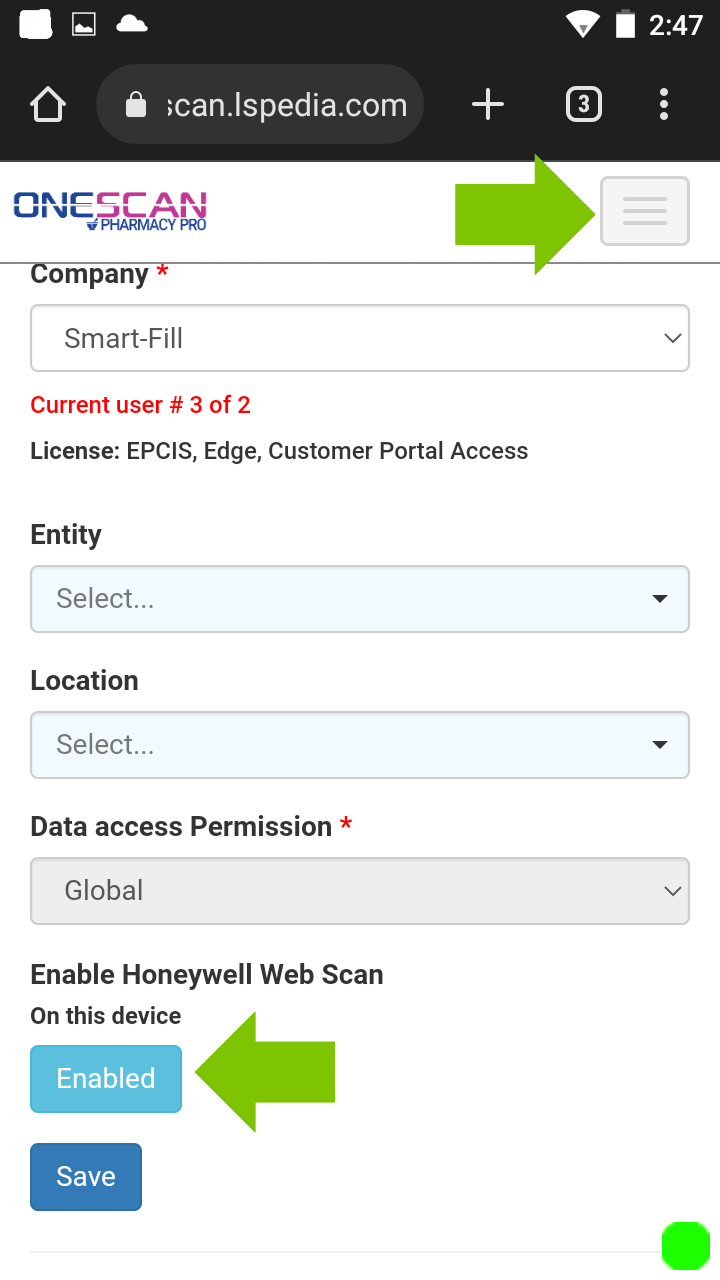
The scan function is not working as it should. Follow these steps:
OneScan log in ->Profile -> scroll to the bottom -> disable honeywell setting -> refresh -> enable honeywell settings -> refresh
Was this article helpful?
That’s Great!
Thank you for your feedback
Sorry! We couldn't be helpful
Thank you for your feedback
Feedback sent
We appreciate your effort and will try to fix the article