Overview
How to Configure a Netum Scanner to Work with OneScan
GS1 Separator Configuration
1. Scan the barcode below
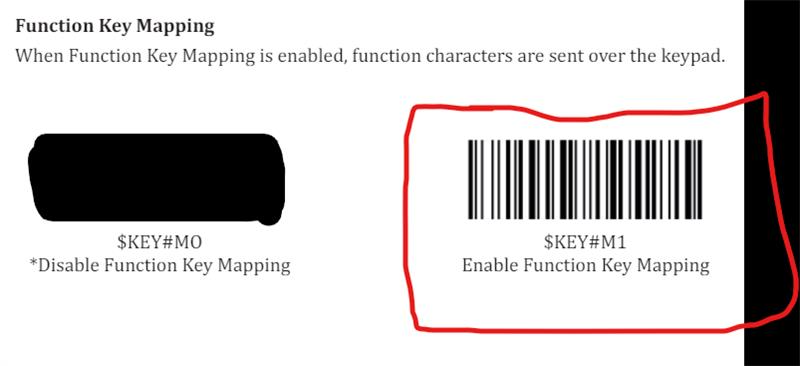
2. Scan your product
Result: Your product scans correctly in GS1 format
Inverse Barcode Configuration
1. Scan the barcode below
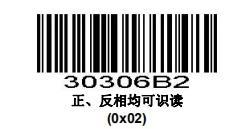
2. Scan your product
Result: You may now scan inverse barcodes
For further Netum Scanner issues or errors, please do contact Netum Support!
Was this article helpful?
That’s Great!
Thank you for your feedback
Sorry! We couldn't be helpful
Thank you for your feedback
Feedback sent
We appreciate your effort and will try to fix the article