Work Instruction
1. Grab your Honeywell Device and open it.
2. Hit Chrome.
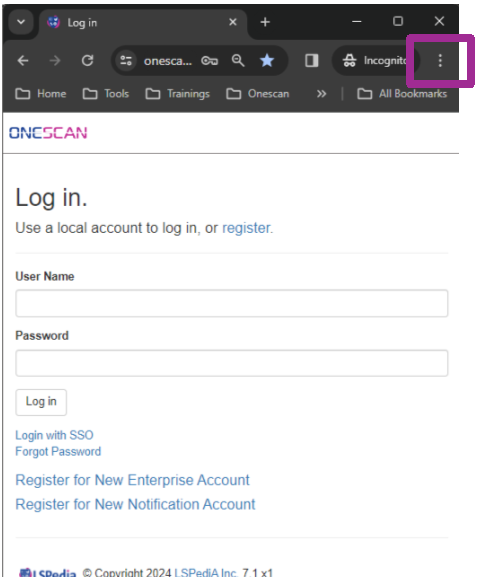
- Your Screen will look similar to this except it won’t say incognito mode.
- Click the 3 Dots as indicated by the purple square.
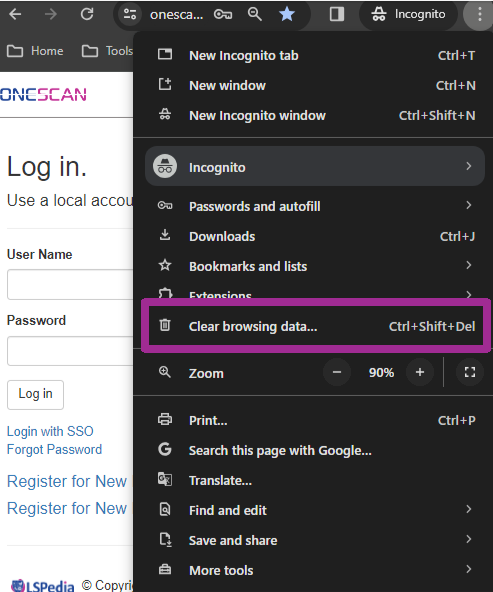
3. Select Clear Browsing Data.
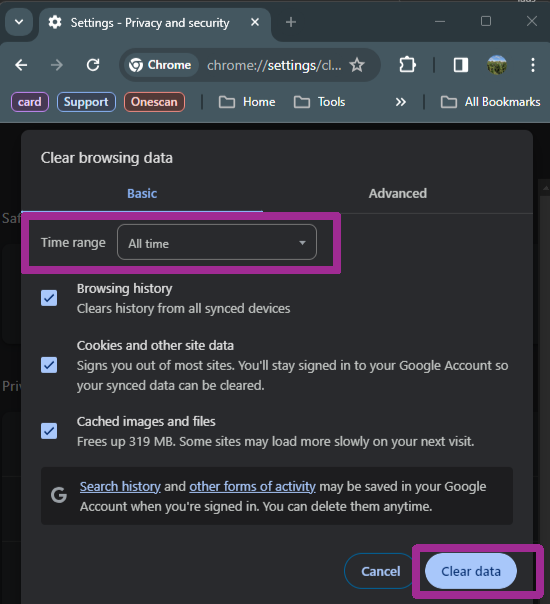
4. Click the Drop-Down labeled “Time Range”.
- Make sure this is set to “All Time”.
5. Click Clear Data to clear all the cache.
- Do this on a weekly basis.
Was this article helpful?
That’s Great!
Thank you for your feedback
Sorry! We couldn't be helpful
Thank you for your feedback
Feedback sent
We appreciate your effort and will try to fix the article